Software insights
Funnel Cockpit Review 2026:
Is This All-in-One Funnel Builder Worth It?
Honest breakdown of features, pricing, pros, cons, and how it compares to ClickFunnels, Kartra, and Leadpages.
If you’re searching for how to build a sales funnel without hiring a developer, FunnelCockpit is one of the tools that keeps coming up. This review breaks down exactly what it does, what it costs, and who it’s actually a good fit for — so you can decide before you spend a cent.
What Is FunnelCockpit?
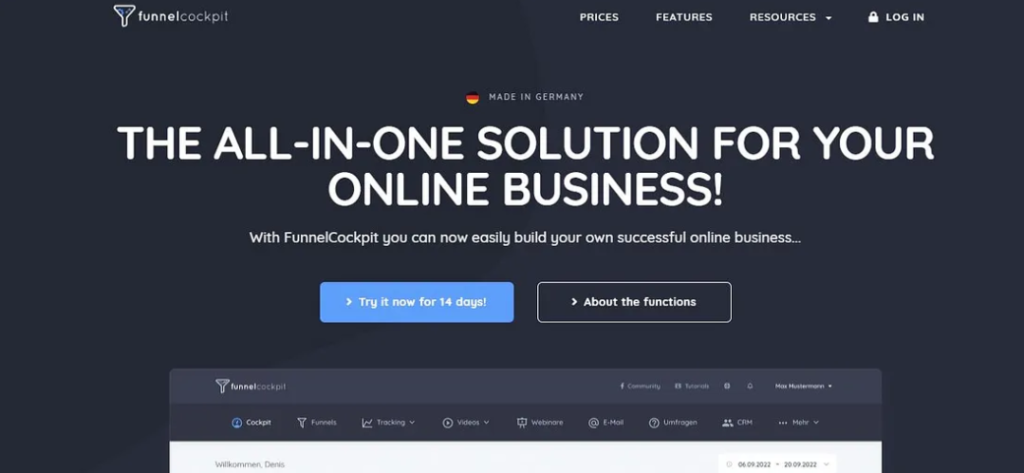
FunnelCockpit is a cloud-based, drag-and-drop platform for building landing pages, sales funnels, and websites without writing code. It runs entirely in the browser, and there’s also a WordPress plugin if you want to publish pages inside an existing site.
Beyond the page builder, it bundles in:
1.Email marketing and automation
2.CRM-style contact management
3.Membership/course areas with drip content
4.Automated webinars
5.Forms, surveys, and quiz funnels
6.Basic blog and SEO tools
7.An AI writing assistant (AI PageBot) for copy and translations
The pitch is simple: instead of paying separately for a funnel builder, an email tool, a course platform, and a webinar tool, you get one dashboard that does all of it.
How to Get Started With FunnelCockpit (Step by Step)
1.Sign up for the trial — FunnelCockpit offers a 14-day trial for a small one-time fee rather than a free-forever plan.
2.Pick a template — choose from ready-made funnel and landing page templates instead of building from a blank canvas.
3.Customize with the drag-and-drop editor — no code required; adjust layout, branding, and copy directly.
4.Connect your domain and integrations — link a custom domain, payment processor, and any email/CRM tools you already use.
5.Publish and test — use built-in split testing to compare page variants before scaling traffic to them.
This flow is fairly typical of all-in-one funnel software, so if you’ve used a similar tool before, the learning curve is short.
Pricing: What Does FunnelCockpit Actually Cost?
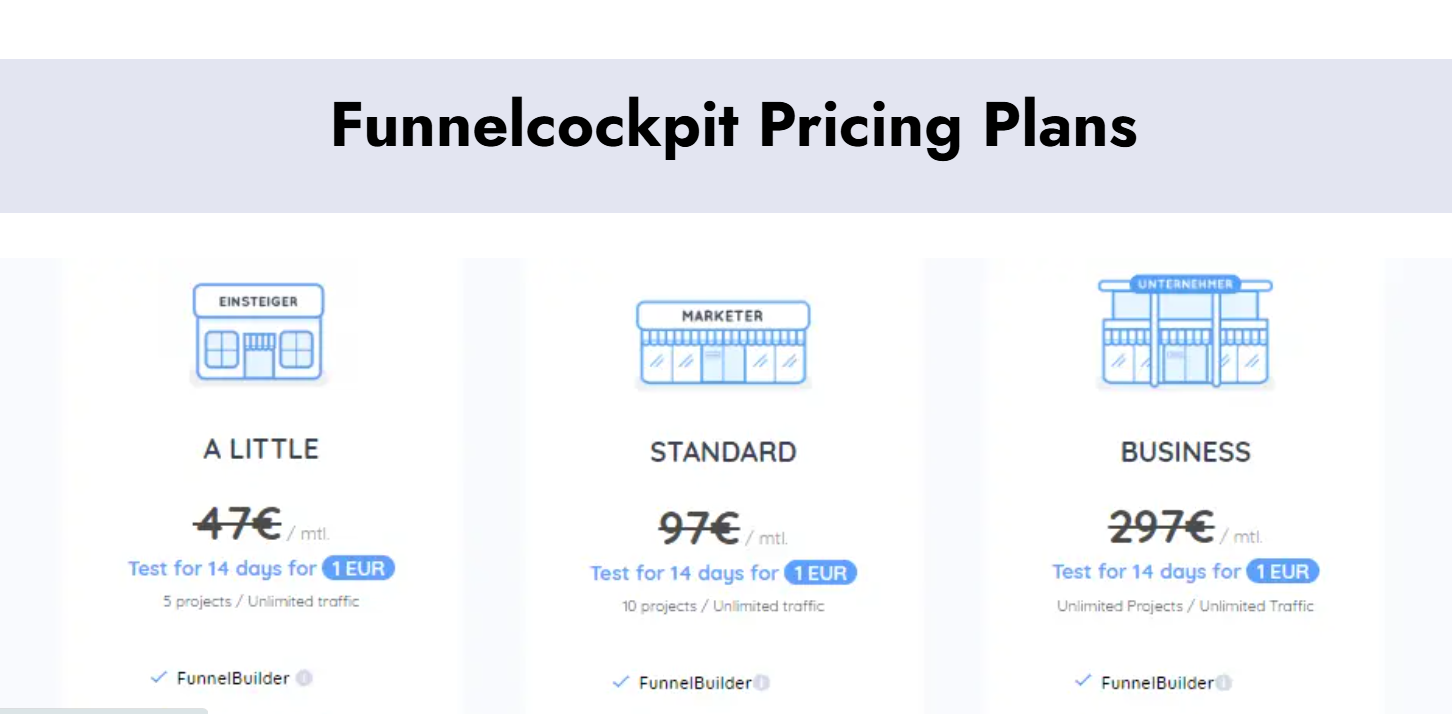
Pricing is tiered by number of projects and features, roughly as follows (always check the official pricing page, since regional pricing and promotions shift):
| Price | Approx. Price/Month | Projects | Notable Features |
| Lite | ~€47 | Up to 5 | Funnel builder, landing pages, email marketing, basic automation |
| Standard | ~€97 | Up to 10 | Adds CRM, webinars, split testing, more forms/surveys |
| Business | ~€297 | Unlimited | Adds mouse tracking, team seats, advanced features |
Notes on pricing:
- Annual billing brings the effective monthly cost down noticeably.
- A short trial is available for a nominal fee rather than a completely free tier.
- Larger teams/agencies can typically request custom pricing.
Pros and Cons
Pros
- All-in-one setup — funnels, email, CRM, and webinars in a single subscription, which can undercut paying for four separate tools.
- No-code editor — genuinely usable for non-technical founders and solo marketers.
- Built-in webinar and membership tools — features that are often paid add-ons elsewhere are included standard on mid/upper tiers.
- GDPR-oriented features — a relevant plus for anyone marketing to EU/UK audiences specifically.
Cons
- Not a free tool — even the trial has a small fee, unlike some competitors with free-forever plans.
- Project limits on lower tiers — the Lite plan caps you at a handful of projects, so growing accounts will need to upgrade.
- Smaller integration ecosystem — compared to more established players, third-party app connections are more limited.
- Learning curve for advanced automation — basic funnels are easy; complex multi-step automation takes longer to configure.
Funnel Cockpit vs. Competitors
| Tool | Starting Price | Best For | Free Plan? |
| FunnelCockpit | ~€47/mo | All-in-one marketers wanting fewer subscriptions | No (paid trial) |
| ClickFunnels | Higher starting price | Established funnel-heavy businesses | No |
| Kartra | Similar range | Similar range | No |
| Leadpages | Lower starting price | Simple landing pages only | No |
| Systeme.io | Free tier available | Beginners on a tight budget | Yes |
How to choose: if your main need is just landing pages, a lighter tool like Lead pages may be cheaper. If you want funnels + email + CRM + webinars without stitching four tools together, Funnel Cockpit’s bundle is the more direct comparison point against Click Funnels or Kartra.
Who Should (and Shouldn’t) Use Funnel Cockpit
Good fit if you’re:
- A consultant, coach, or course creator who wants funnels, email, and a membership area under one login
- A small business trying to cut down the number of monthly software subscriptions
- Marketing to EU/UK customers and want GDPR-aware tooling built in
Probably not a fit if you’re:
- Looking for a completely free tool to start with zero budget
- Running highly complex, deeply customized automation workflows that need a large integration marketplace
- Already locked into another all-in-one platform with data you don’t want to migrate
Frequently Asked Questions
Yes — the drag-and-drop editor and templates are built for people without coding experience.
It offers a 14-day trial for a small one-time fee rather than a no-cost trial.
It markets GDPR-oriented features, which is worth noting if you’re targeting UK/EU customers, though you should confirm current compliance details on the official site for your specific use case.
Yes, there’s a plugin for publishing FunnelCockpit pages inside an existing WordPress site.
Funnel Cockpit’s core appeal is consolidation: funnels, email, CRM, and webinars in one subscription instead of four. That makes it worth a look if you’re currently juggling multiple tools and want to simplify — less so if you only need a single landing page or want a free-forever option.
Always confirm current pricing and features on the official FunnelCockpit website before subscribing, as plans and promotions change.